
ACCESS TO THE FAME platform currently resolves to a “server error message”. The company assures users that they are working to rectify the issue.
Updates on electronic resources from the library of Nottingham Trent University
ACCESS TO THE FAME platform currently resolves to a “server error message”. The company assures users that they are working to rectify the issue.

ACCESS TO THE new FAME interface has been enabled in the Find Databases service, completing the migration to the new platform.
For some time, customers have been routed to the ‘legacy’ FAME interface by default, and have been given the option to switch their session to the new FAME environment.
Now, all access requests are routed to the new FAME interface by default.
Access to the new FAME platform is available on-campus and off-campus by university username and password. The links available in the Find Databases service ensure that customer requests are routed directly to the university’s single sign-on service.
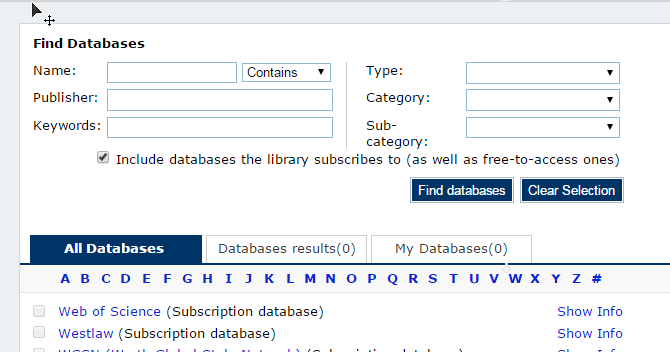
Following a detailed review by the Research Support and Learning and Teaching teams, a number of changes have been made to the list of resources made available through the Find Databases service of Library OneSearch (which will also be reflected, later today, in searches in the ‘All’ search tab of LOS). The changes are detailed below:
If you’d like any further information about the specific changes that have been made to any of the resources listed above, please get in touch.
Following a detailed review by the Research Support and Learning and Teaching teams, a number of changes have been made to the list of resources made available through the Find Databases service of Library OneSearch (which will also be reflected, later today, in searches in the ‘All’ search tab of LOS). The changes are detailed below:
New entries have been created for the following resources:
The following resources have been withdrawn from the Find Databases service:
The entries for the following resources have been updated. Updates include: amended access URLs, changed help and guidance information, updated subject category assignments and revised descriptions:
If you’d like any further information about the specific changes that have been made to any of the resources listed above, please get in touch.
Due to an ongoing technical problem, off-campus requests to the OSIRIS service have been resolving (post-authentication) to the FAME interface (a separate resource provided on the same platform).
This issue has now been resolved, so that login requests resolve to the OSIRIS interface.
However, an automatic pop-up window launched for off-campus requests by the OSIRIS service would have caused a conflict with the way that Library OneSearch manages new window requests for databases – which would have rendered the resource inaccessible on some off-campus browsers. To overcome this problem, off-campus login requests to OSIRIS are routed through an interim page (in effect, one additional click) which ensures that OSIRIS new window requests launch normally.
Off-campus access to the FAME (new interface) service has now been activated in eSearch. (Previously only on-campus access was available.) Access is by university username and password (using Shibboleth). Off-campus links to both the FAME (new interface) and FAME services have also been updated to resolve directly to the NTU Single Sign-on page (bypassing the WAYF – ‘Where Are You From?’ – page).
The FAME service have launched a new interface, which is currently being run in parallel with the previous interface to allow sites to schedule their transition from the old platform to the new. An additional FAME record has been added to eSearch entitled ‘FAME (new interface)’ which resolves customers directly to the new site. Access to this additional FAME service is direct on-campus, but not currently available from off-campus.
A guide to logging in to the FAME service using Shibboleth has been added to the eServices Support wiki. Access on-campus continues to be direct, with off-campus access now available using a university username and password. Please note that to pick up the appropriate login link, it is essential that off-campus customers access FAME through eSearch.
 eResource updates
You must be logged in to post a comment.